Atmosphere / Open-Meteo
The weather around you.
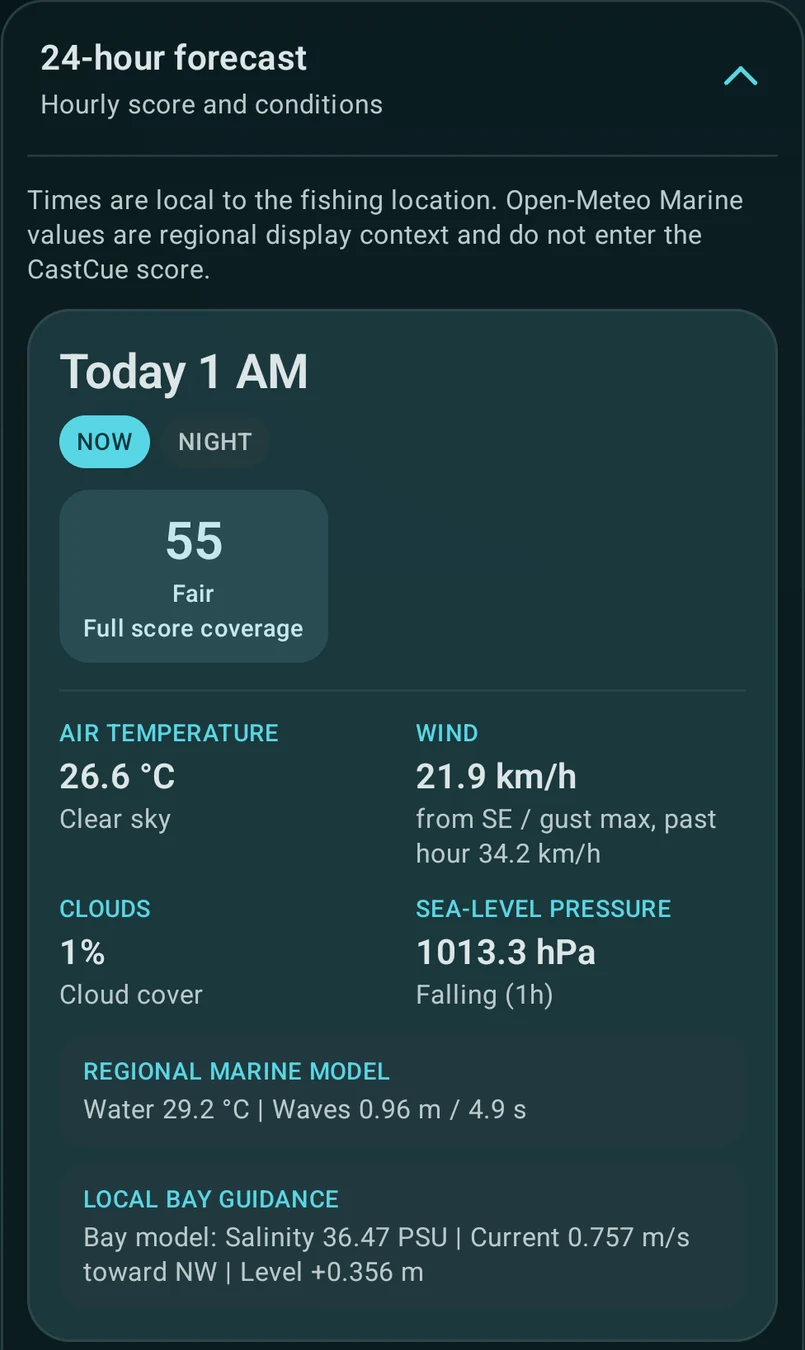
Temperature, wind and gusts, cloud cover, weather context, pressure trends, sunrise and sunset. Current conditions and an hourly view help you compare the day.
 CastCue Explore CastCue
 Fishing conditions, made useful
Choose a fishing spot, understand the conditions, and find a favorable time to go. All before you leave home.
A conditions score. Not a catch probability.
Android · In development
Current focus: South Texas & Gulf coastal waters
A window to consider.
A tide to plan around.
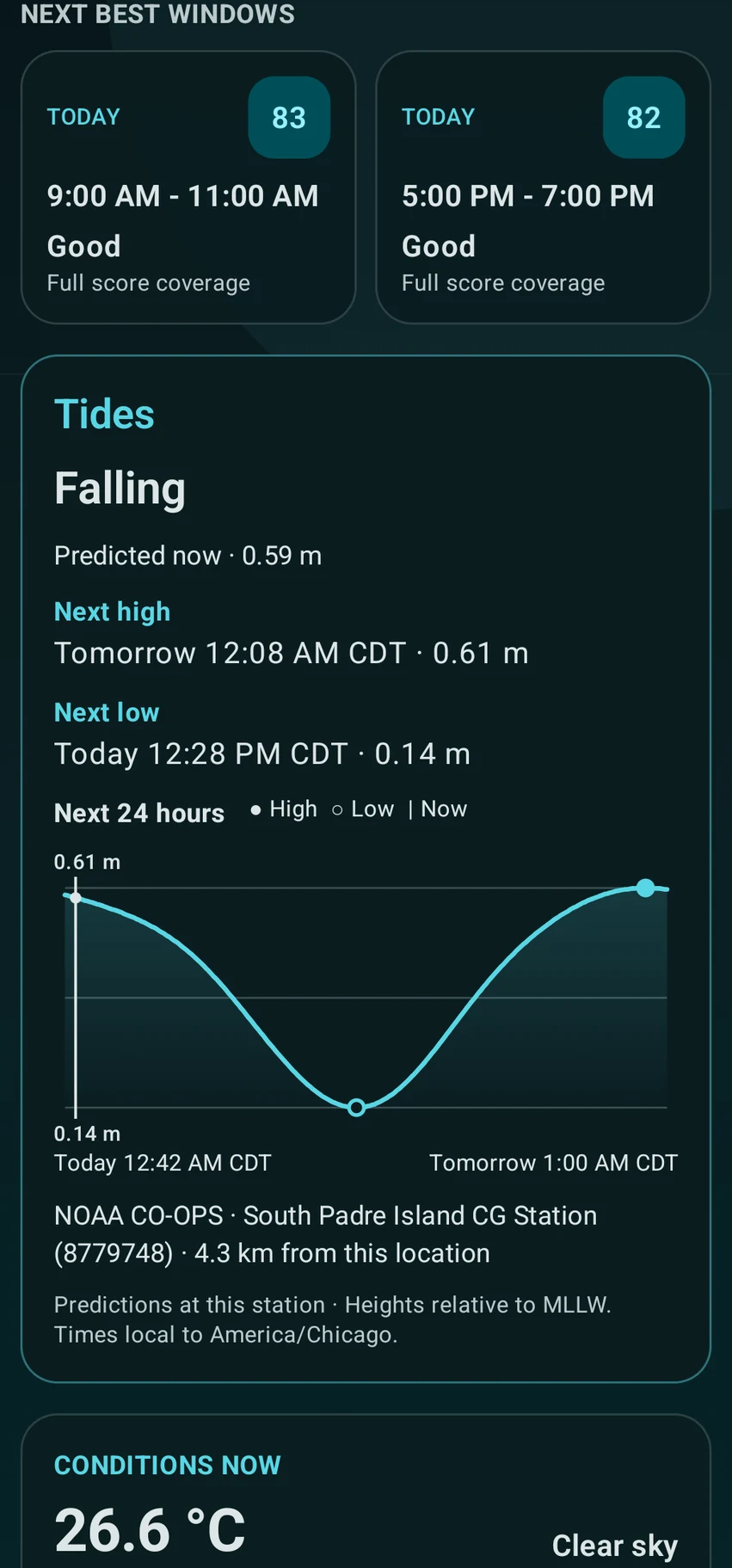
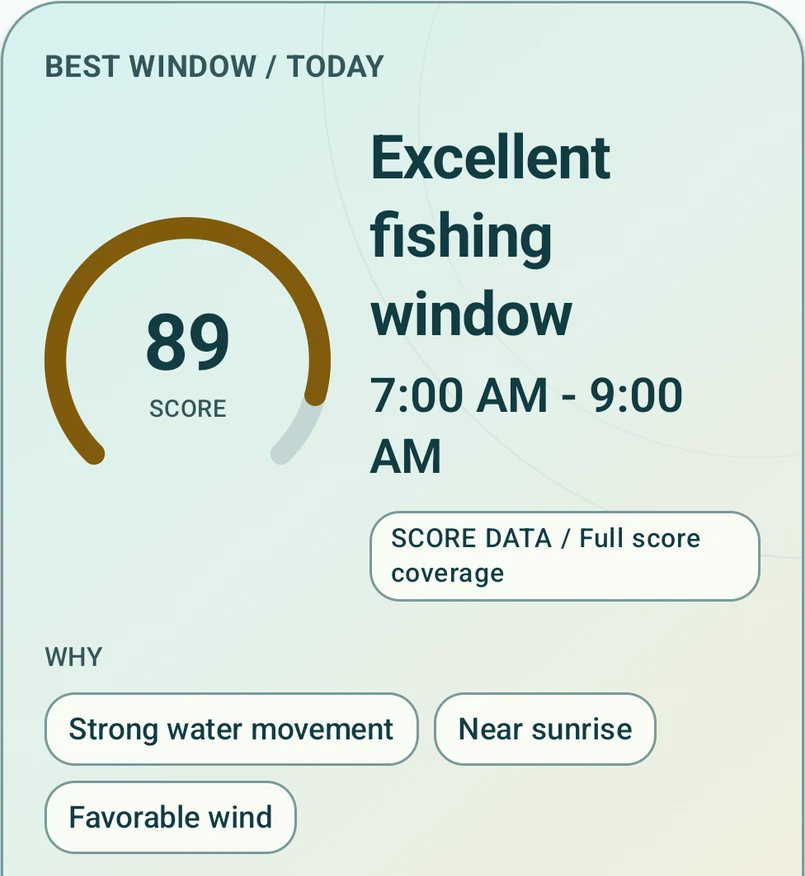
From place to plan
Open a Location, choose a candidate Spot or mark your own point. You can plan from wherever you are.
Check the conditions score, recommended windows and tides, with reasons and data coverage alongside.
Explore the hourly detail, add your local knowledge, and decide when and where to fish.
Conditions & recommendations
Less time comparing scattered forecasts. More context for your next fishing trip.
The score evaluates environmental conditions. It doesn’t predict bites, estimate catch probability or guarantee success.
These are the current model’s configured weights, not a measure of fishing success.
When inputs are missing, available weights are rebalanced and coverage is reported. “Full score coverage” means all five scoring components are available—not that every source is precise at your Spot. Open-Meteo Marine values do not enter this score.
Fishing Locations → Spots
You don’t have to be standing there.
Explore a fishing area now, and head out later.
How your places are organized
Geographically sourced features from the bundled catalog.
Your own named coordinates, saved on your device.
Browse or search for a Location, filter its candidate Spots, or open an Area overview where available. Save the Locations you want in My locations; simply opening one doesn’t save it.
The current bundled prototype contains 256 candidates across four Locations. They’re mapped geographic features to explore, with source information—not expert-verified fishing hotspots or confirmation of public access.
Your point sets the request. A Spot’s coordinates are sent to providers. Nearby Spots may share the same station or model grid. An Area overview uses a representative point.
Make a Spot your own
That channel edge. An unnamed stretch of shoreline. The point you want to check next time.
Open a Location and choose Add spot. Pan and zoom the map, confirm your point, then pick a suggested name or write your own. Place search and advanced manual coordinates are available too.
Reopen, rename or delete your personal Spots in My spots. They’re stored locally, with no account-based sync or sharing. Removing a saved Location keeps your personal Spots.
Move the map to the water you have in mind.
Check the coordinates. Give the Spot a name you’ll recognize.
Open it again from your personal Spot list.
Map selection works without GPS permission. Current location is a separate option that uses Android location access. Map tiles and fresh forecasts need an internet connection.
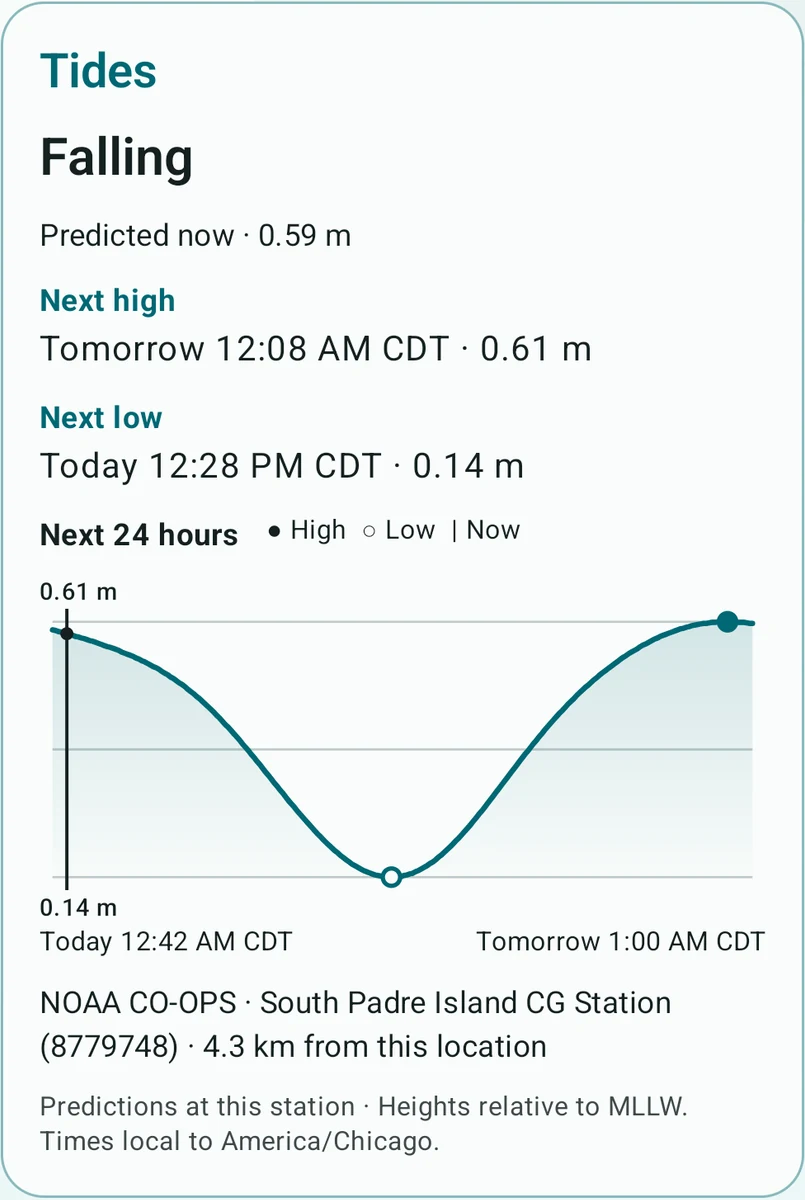
The tide, in plain sight
For coastal trips, the water’s timing deserves more than a footnote.
These are predictions at a NOAA station, not measurements at your exact Spot. Tide availability depends on station coverage; non-tidal stations and missing predictions are identified in the app.
Weather, water & source context
Know what you’re looking at: weather forecasts, station observations, modeled guidance or regional context.
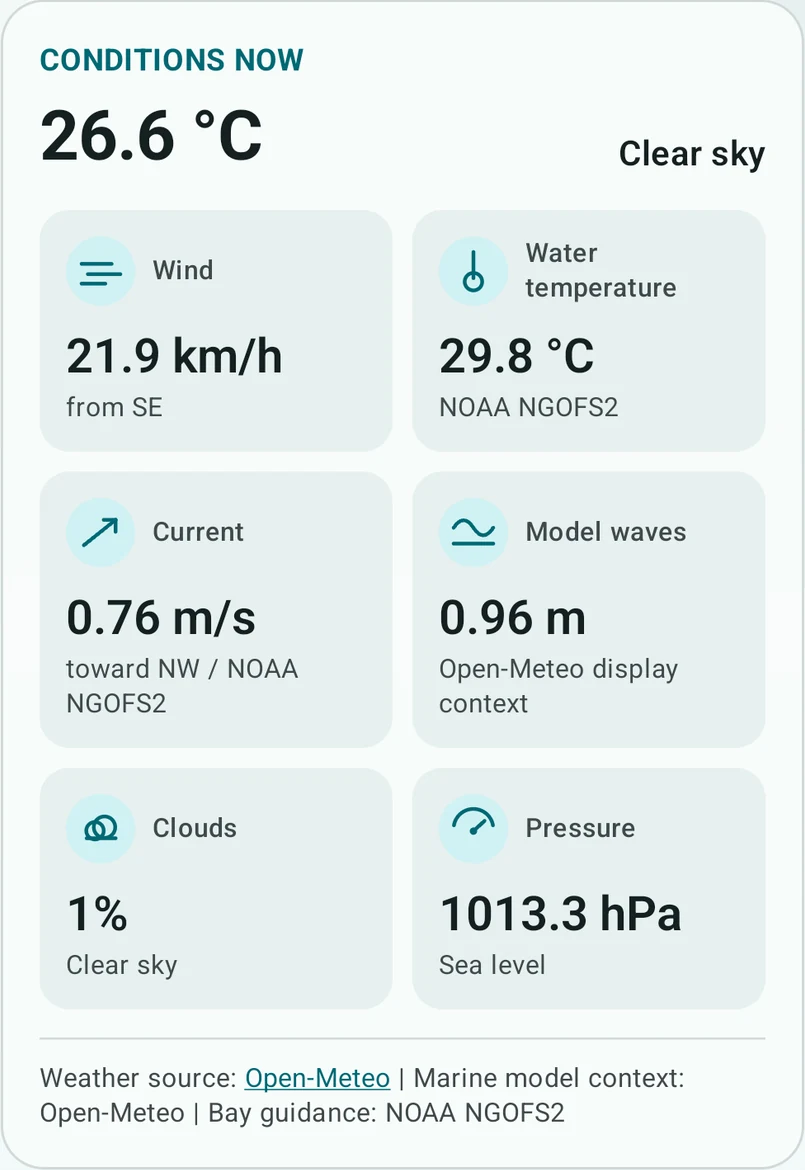
Atmosphere / Open-Meteo
Temperature, wind and gusts, cloud cover, weather context, pressure trends, sunrise and sunset. Current conditions and an hourly view help you compare the day.
Observations / NOAA CO-OPS
Observed water levels and trends, plus salinity where offered. Station identity, distance and observation times help you judge relevance. Products and freshness vary by station.
Bay guidance / NOAA NGOFS2
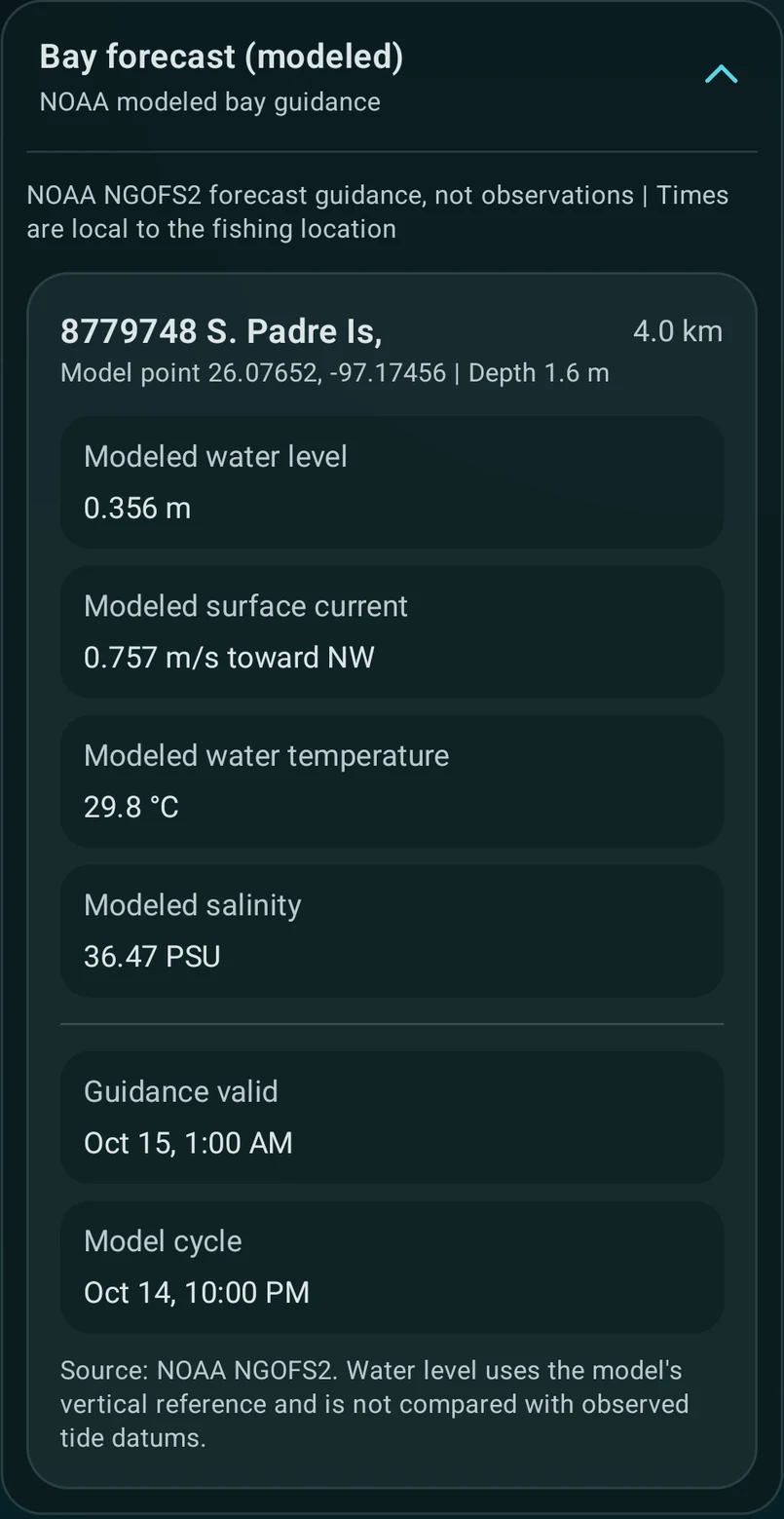
Water movement, levels, temperature and salinity where covered. Guidance comes from nearby model points under a distance policy—not a sensor at your Spot.
Regional / Open-Meteo Marine
Waves, swell, water temperature and current context where available. Display-only; not used in the score. Regional grids may not represent conditions inside a bay or behind a barrier island.
Expand the app’s forecast details to inspect station names, model points, distances, available timestamps and reference information. Nearby Spots can share data; choosing a precise point doesn’t make every provider equally local.
The model’s water-level reference also differs from observed tide datums. CastCue keeps those distinctions visible rather than treating every value as interchangeable.
This real expanded bay-guidance screen shows the model point, distance, valid time and model cycle together.
Harbor, light or dark
Choose System, Light or Dark in Settings, alongside Metric or Imperial units. Both preferences stay with you across app restarts.
Sea-glass, sand & a brass score accent.
Deep teal, coastal cyan & warm highlights.
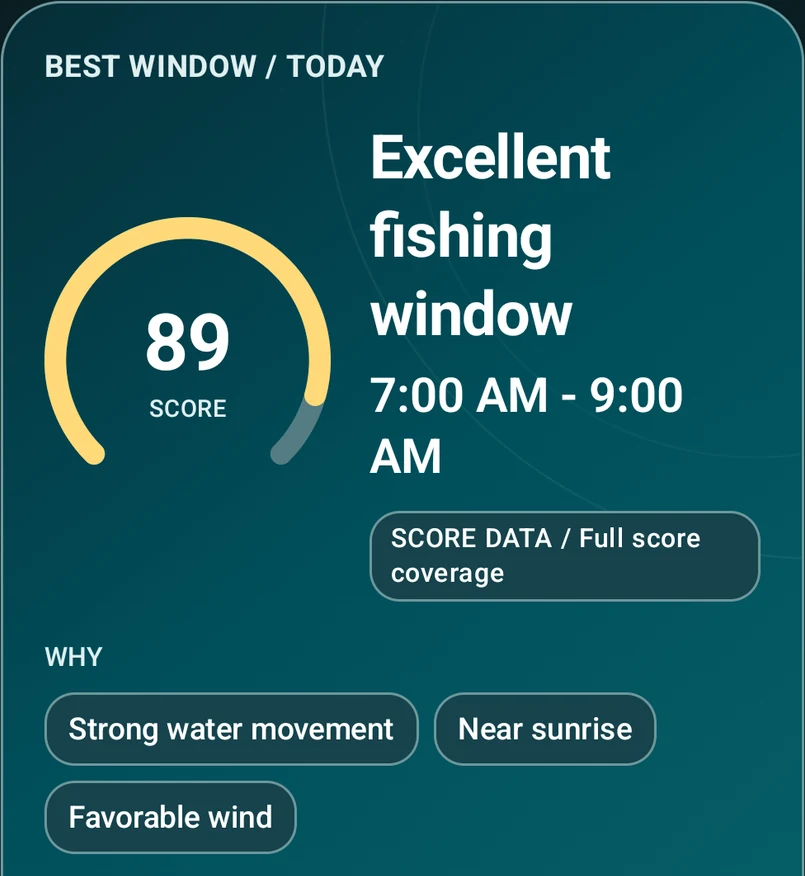
Actual Android screenshots of the same outlook. Cropped, never recolored. Values are examples from the supplied captures.
Availability & current coverage
CastCue is Android-first and currently in development.
Today’s V1 environmental scoring is focused on saltwater conditions, centered on South Texas and the Gulf. Tide, observation and bay-model availability depends on your Location and its providers.
The Location → Spot structure can organize bays, inlets, lakes, reservoirs and river regions. That broader geography is not a promise of worldwide environmental coverage or complete freshwater scoring.
Lake Lanier tests inland discovery and Spot organization; it does not establish supported freshwater forecasts or scoring. This is a bundled prototype, not a live global Spot database.
CastCue for Android
CastCue is currently in development. Explore how fishing conditions, personal Spots and tides come together to support a better-informed plan.